
Popups can be described as that helpful friend who shows up at the right time when you need them and also the same friend who doesn’t know when to leave. Popups are the small windows that appear suddenly on a website and keep asking you for something. From capturing emails of visitors to displaying time-sensitive offers, popups can effectively boost user engagement and conversions.
“Try our easy-to-use Popup builder today with Kiyfi”
Whether you like it or not, popups are very useful tools that can be powerful enough to increase your conversions when you use them properly. If they are used without any strategy, it can be very annoying for visitors and that will increase your website’s bounce rate, not conversions.
Today, the best strategies are all about keeping users happy, showing them what is important for them and offering them real value.
Let’s learn how to increase conversions with popups in a way that’s focused on users and using data to drive results.
Use these tips to make your popups work harder for you:
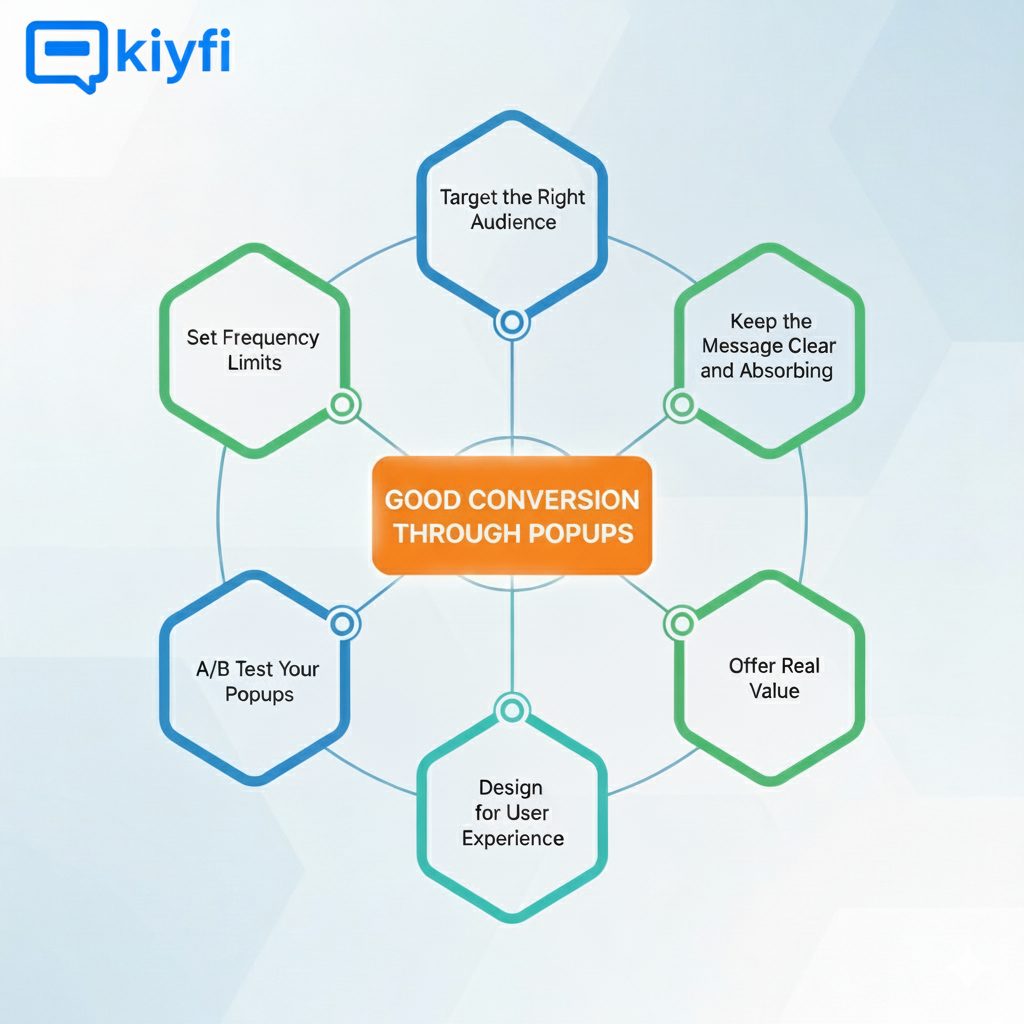
- Target the Right Audience:
Not every visitor will be the same. Use behavior-based targeting to show popups to the right people at the right time. For example, you can display a special offer to returning visitors or show a lead magnet to new users. Segmenting your audience and tailoring your message make your popup feel more personalized and more relevant.
- Execution at the Right Time:
Timing is everything. A popup that appears at the moment when someone lands on your page that can be aggressive and frustrating. Instead, use triggers such as these:
- Exit intent (when the mouse moves toward the browser bar)
- Scroll depth (after 50–75% page scroll)
- Time on page (after 15–30 seconds)
These triggers allow users to engage with your content first, making them more receptive to your message.
- Keep the Message Clear and Absorbing:
Make the benefit of your popup crystal clear, instantly. Aim for a headline that is short, speaks to the user’s needs, and doesn’t waste words. The body copy should support the headline, and the call-to-action (CTA) should be bold and action-oriented. Don’t use unclear buttons like ‘Submit’—use clear ones like ‘Get My Discount’.
- Offer Real Value:
Why should someone give you their email or click your CTA? Offer something that is worth interacting with you – a discount, free shipping, a lead magnet (like a checklist or eBook), or entry into a giveaway. The better your offer, the higher your conversion rate will be.
- Design for User Experience:
Make sure your popup is eye-catching and mobile-friendly. Use clean design, legible fonts, and high-quality images. Ensure the close button is easy to find, so users don’t feel trapped. A good experience increases the chance that visitors will engage rather than bounce.
- A/B Test Your Popups:
Small changes can lead to big results. Test different headlines, images, CTA buttons, and timing triggers to see what performs best. Use A/B testing tools to measure performance and refine your strategy continuously.
- Set Frequency Limits:
Avoid annoying users by limiting how often popups appear. If someone dismisses a popup, don’t show it again on the same session or even the same day. To build trust and improve overall site performance, respecting your visitor’s experience is necessary.
We have learned about how to use popups in a good way. Now, let’s talk about how to create popups. Previously, people needed to hire a developer for creating, running and analyzing popups. It was very time consuming and costly.
Not any more!! Kiyfi has a perfect solution for creating your own Popups.
Kiyfi – The Easiest Tool For Creating Popups Without Coding
Kiyfi simplifies user interaction by providing a less complicated user interface. Kiyfi, the platform where creating popups is child’s play for users because there is no coding skills required.
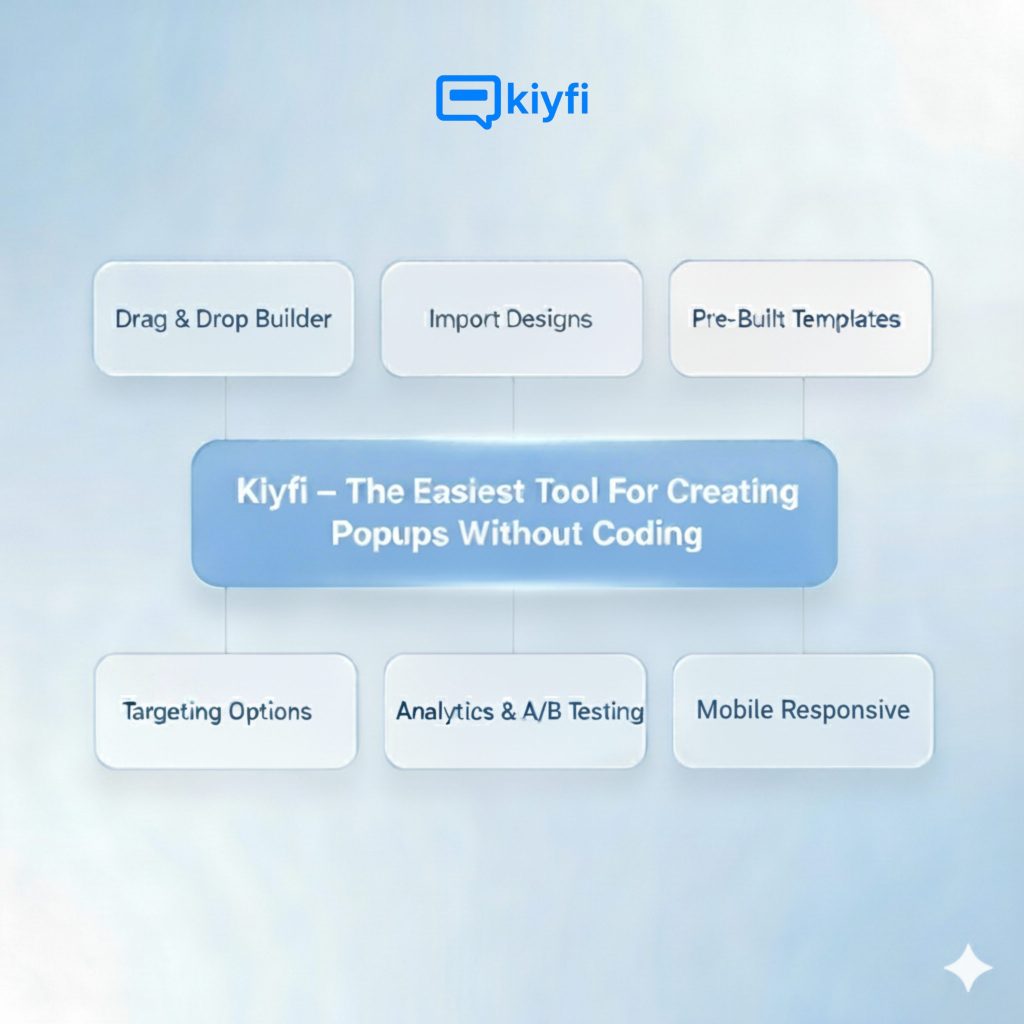
- There is a drag and drop builder. Here users can easily create or customise popups with Kiyfi’s intuitive drag and drop interface without using a single line of code.
- If a user already has a design, It allows them to import their HTML/CSS design and convert them into functional popups in seconds.
- Pre-built templates are available here. Users can choose from lots of professionally created designs for every purpose or industry. So no need for extra design work.
- Users can show the right messages to the right audience at the right time with the use of advanced targeting and trigger options that are already built in Kiyfi’s platform.
- With Kiyfi, users can track performance and run A/B testing to optimize their campaign for maximum conversions.
Popups that are created through Kiyfi will be responsive to every screen from desktop to mobile. This will improve your website’s credibility.
Create best-performing Popups with Kiyfi & drive more conversion to your website