
Did you know that simply adding a persistent sticky bar to your site can boost conversions by up to 20% on desktop and 18% on mobile? In a nonprofit test, a sticky bar lifted donation conversion by 109.9%. These numbers show just how powerful the right call-to-action (CTA), anchored in the user’s view as they scroll, can be.
Kiyfi — a no-code platform designed to help marketers quickly deploy sticky bars (and other site-convert-tools) without writing a single line of code.
In this article, we will walk you through a clear, professional but simple step-by-step guide to building a high-converting sticky bar with Kiyfi.
1. Define your goal & offer
Start with clarity. What do you want your sticky bar to accomplish? Lead capture? Promote a sale? Drive newsletter sign-ups? Since sticky bars remain visible as users scroll, they are ideal for CTAs that you want to stay top-of-mind. For example:
- “Get 10% off — subscribe now”
- “Free shipping on orders > $20 — click to learn more”
- “Chat with us live”
Because results show sticky bars can meaningfully reduce bounce rate or improve conversions when aligned with the user’s action path.
2. Choose placement & behaviour
With Kiyfi, you can select top, bottom, or even side sticky bars. Best practice:
- Place at bottom for commerce pages (so CTA doesn’t hide the header).
- Use top for site-wide announcements (e.g., “Holiday sale live”).
- Decide when the bar appears: on page load, after a scroll percentage, or triggered by exit-intent. The key is subtle persistence—not interrupting the experience, but being ready when the visitor is ready.
3. Craft your message & design
Your message should be short, benefit-focused, and backed by a strong CTA button (color-contrasted). Example: “Unlock 15% off — Use code SAVE15” with a “Claim Code” button. With Kiyfi you get:
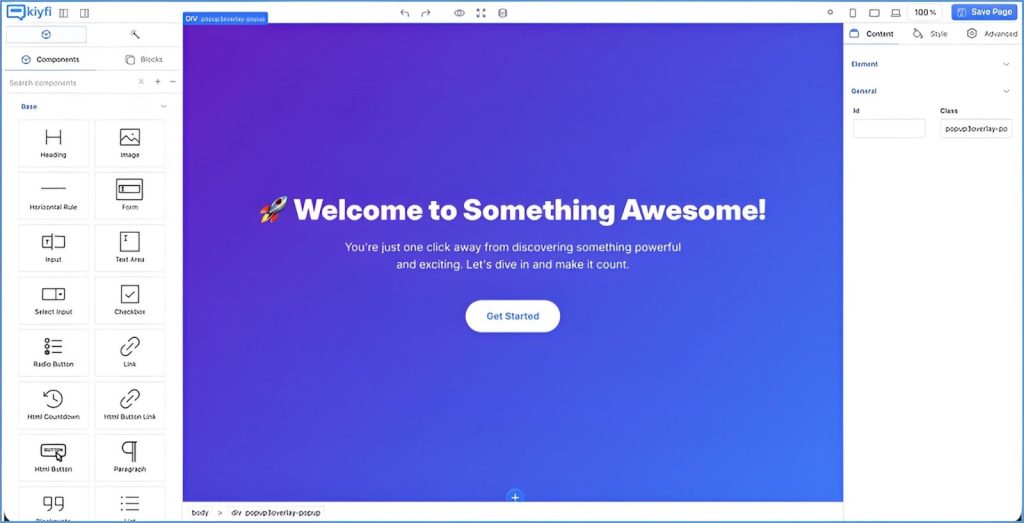
- Drag-and-drop builder, so you no longer require CSS/JS.
- Mobile-friendly preview to ensure the bar doesn’t obstruct content on phones.
- Customisation of colors, fonts, button styles, and optional close (“×”) to respect user control.
Remember: A sticky bar works best when it blends into the design but still stands out.
4. Target & segment your audience
Rather than showing the same bar to every visitor, fine-tune who sees it. With Kiyfi, you can set display conditions: e.g., show only to first-time visitors, on certain pages, or after they have spent a certain amount of time.
Example: Display the bar only on blog pages to drive email sign-ups or display only on product pages for an upsell. Tailoring the context improves relevance, which improves conversion.
5. Launch and test variations
Even the best-designed bar benefits from A/B testing. With Kiyfi, you can duplicate your sticky bar, change one variable (e.g., button text, color, placement), and compare performance. For instance, one experiment found that just adding a sticky CTA button increased sales by 25%.
Track metrics like: click-through rate on the bar, conversion rate after clicking, and bounce/exit rate for visitors who see it vs. those who don’t.
6. Monitor results & optimise
After launch, check your dashboard: look at how many users saw the bar, how many clicked it, and how many completed the desired action. Kiyfi integrates analytics so you can measure effectively.
Ask questions like:
- Is the bar reducing bounce rate or increasing time on page?
- Is there a drop-off after clicking the bar? If so, maybe the funnel post-click needs work.
- Does performance differ by device or page type? You may need mobile-specific tweaks (since mobile behaviour differs).
- Make small adjustments: tweak the headline, change button text, adjust timing or display rules, and always test again.
7. Respect user experience
While sticky bars can drive conversion, they must not annoy your visitors. Ensure:
- The bar is easily dismissible (so users don’t feel trapped).
- It doesn’t obscure vital content—especially on mobile screens.
It appears at the right moment (not immediately before exit if that’s distracting).
By focusing on helpfulness rather than intrusion, you maintain trust while nudging action.
Why Kiyfi stands out
Kiyfi offers a streamlined no-code approach—ideal if you lack developer resources or want to launch quickly. While there are other sticky‐bar builders, many requiring code tweaks or integrations, Kiyfi keeps it simple. You can build, target, test and optimise all within the platform. This speed enables you to repeat fast and capture the conversion lift demonstrated by case-studies.
In summary
Sticky bars are no longer “nice-to-have” but a proven component of conversion funnels. When executed with clarity of goal, thoughtful design, smart targeting and ongoing measurement, they can deliver meaningful uplift. Using Kiyfi, you achieve this without needing a development backlog—just a clear strategy and the steps above.
Start by defining your offer, choose the placement, craft the message, target the right visitors, launch with testing, monitor and optimise, and always keep the user experience front-and-centre.
With that approach—plus the fact that public tests have shown lifts of 18–20 % or more using sticky bars—you are well-positioned to build your high-converting sticky bar today.
Upgrade your site in minutes — no code, Log in to Kiyfi dashboard Now!