
Every business wants one thing from its website visitors, and that is ‘conversion’. Whether that means signing up for a newsletter, making a purchase, or booking a call, turning passive visitors into active customers is the primary goal. But here’s the fact: most visitors leave a site without interacting at all.
This is where Sticky Bars, especially those built with Kiyfi, were invented to change that fact.
Kiyfi is a no-code tool that lets you easily create Sticky bars for your website. From announcement banners to email sign-up bars and countdown timers, Kiyfi helps you guide users, capture leads, and highlight best deals in a subtle yet powerful way.
Sticky bars are user interface (UI) elements designed to guide users to your primary goals without intrusion. If you’re not using sticky bars yet, or if you’re unsure how to use them effectively, you’re missing out on one of the easiest ways to boost engagement and sales.
What is a Sticky Bar?
A Sticky Bar is a slim, fixed-position banner that appears at the top or bottom of your website. It remains visible as users scroll, ensuring your message is constantly in front of them. Sticky bars can be used for:
- Announcing promotions
- Capturing emails
- Encouraging signups
- Highlighting limited-time offers
- Sharing important updates
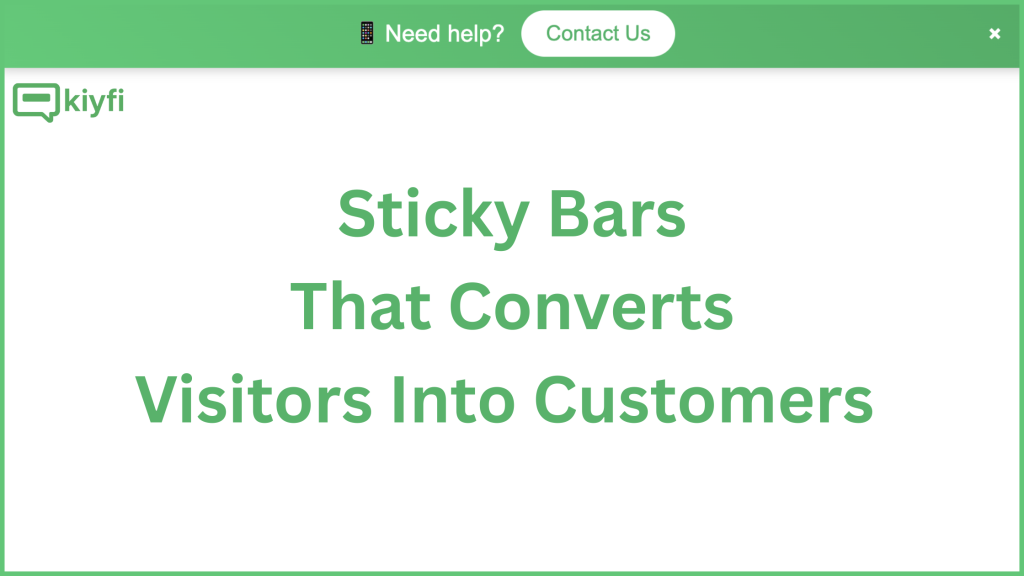
Unlike popups, sticky bars don’t disrupt the user experience. Instead, they serve as a gentle approach, keeping key information accessible throughout the browsing session.
Why Sticky Bars Drive Engagement
Sticky bars are more than just a visual element—they’re a strategic engagement tool. Here’s why they work:
1. Always Visible
They remain on the screen as users scroll, meaning your CTA or message never gets lost. Whether it’s a discount code or a free shipping reminder, it stays visible.
2. Non-Intrusive
Unlike popups that interrupt the user journey, sticky bars offer a softer nudge. They don’t demand immediate attention but are always there when the user is ready.
3. Timely and Targeted
With tools like Kiyfi, you can show sticky bars based on user behavior—like time on page, scroll depth, or returning visits—ensuring relevance and increasing the chances of interaction.
Why Use Kiyfi for Sticky Bars?
Kiyfi is designed to provide marketers and website owners a user-friendly platform to build smart, visually appealing sticky bars without needing to write a single line of code. Kiyfi has the best drag-and-drop builder.
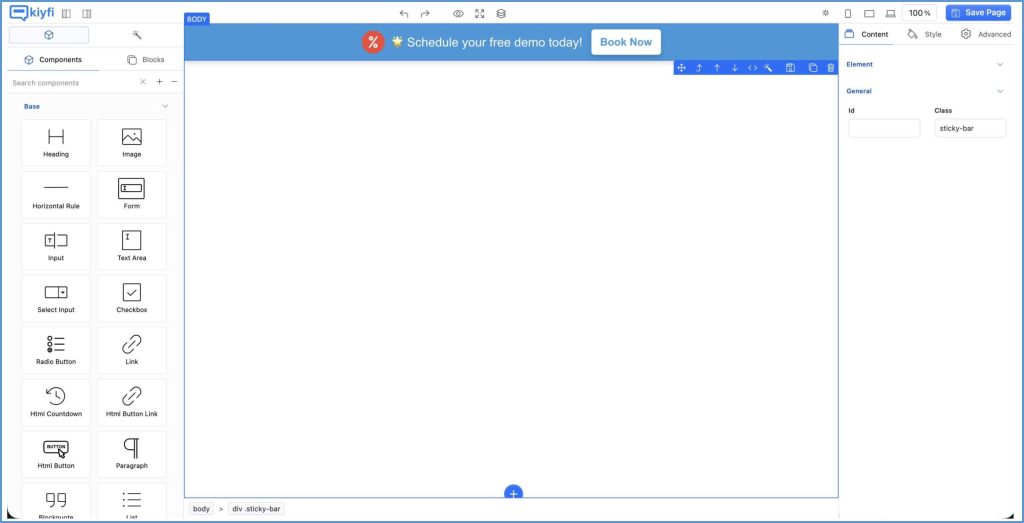
Imagine creating or designing Sticky Bars all by yourself. Now in reality, Kiyfi has made it possible. Whether you want to increase newsletter signups or promote a flash sale, Kiyfi gives you the flexibility to:
- Customize text, design, colors, and positioning
- Add buttons, countdown timers, or input fields
- Schedule bars for promotions or campaigns
- Target bars by page, user type, or device
- Track performance through engagement metrics
As we can see, there are enough reasons to use Kiyfi for Sticky Bar creation. But there are more reasons Kiyfi has, such as:
- Anyone can use Kiyfi without any coding knowledge.
- There is no need to hire a developer for tasks like creating, launching, or optimizing.
- You just need to drag and drop to create your own design.
- You can easily launch your design on your own.
- You can also optimize your creation by Kiyfi’s user-friendly interface.
Here’s how you can use Kiyfi’s features to create engagement-driving sticky bars:
1. Drag-and-Drop Simplicity
Kiyfi’s intuitive editor makes it easy to create professional-looking sticky bars in minutes. Whether you’re a marketing pro or a small business owner, you can launch a campaign quickly without relying on developers.
2. Custom Targeting Options
With Kiyfi, you can control exactly how the customers see your sticky bar and when. Target visitors based on:
- Exit intent behavior.
- Time on page or scroll depth.
This level of precision ensures you’re delivering the right message to the right user at the right time.
3. Pre-built Templates
Not sure where to start? Kiyfi offers a library of high-converting sticky bar templates designed for different goals—email collection, seasonal promos, flash sales, and more. All templates are mobile-responsive and customizable.
4. Analytics and A/B Testing
Track how your sticky bars are performing with built-in analytics. Test different messages, colors, or call-to-actions (CTAs) to see what works best and continuously optimize for better conversions.
Best Practices for High-Converting Sticky Bars:
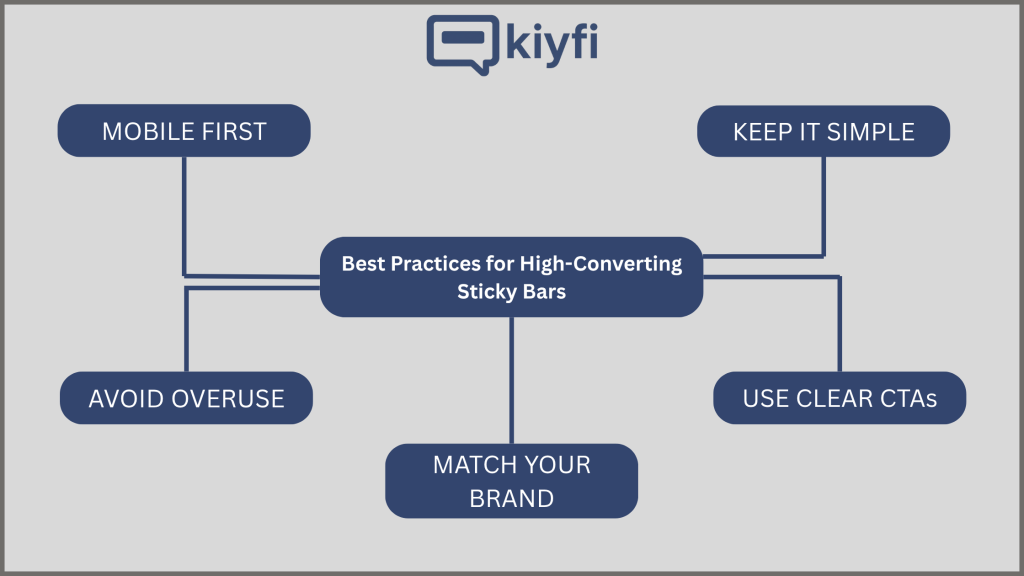
To get the most out of your sticky bars, keep these tips in mind:
1. Keep It Simple
You’ve got limited space—make it count. Use short, punchy copy with a clear CTA.
2. Match Your Brand
Customize colors, fonts, and imagery to maintain brand consistency and build trust.
3. Mobile First
Ensure your sticky bars look great on all devices. Kiyfi’s responsive designs help you deliver a seamless experience on both desktop and mobile.
4. Use Clear CTAs
Your sticky bar should direct users to one clear action—whether that’s “Shop Now,” “Subscribe,” or “Get Discount.”
5. Avoid Overuse
Too many sticky bars can ruin the experience. Limit them to one or two at a time, and use smart triggers to avoid overlap with other promotions.
Ready to engage more customers? using Sticky Bars with Kiyfi.